
Dropped Your Phone in Water? Do This First (Step-by-Step)
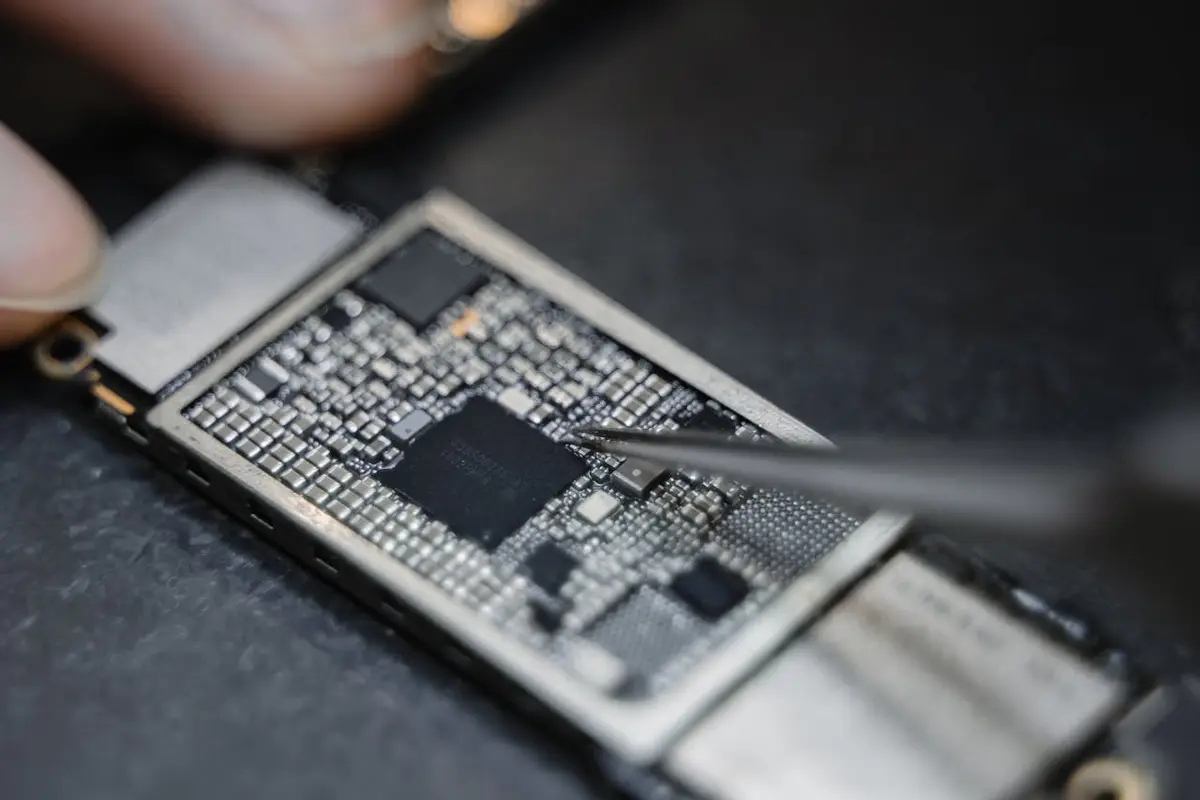
If your phone falls in water, take it out, power it off right away, and do not charge it. Then get it opened and cleaned as soon as you can. Water itself is only part of the problem; the corrosion it leaves behind on the circuit board is what usually ends a phone, and that gets worse by the hour. Here is exactly what to do and what to avoid.
What should I do immediately?
Get the phone out and turn it off. Every minute it stays powered on, current is flowing through wet circuits, which is how short circuits and corrosion start.
- Take it out of the water and power it off. Do not test the camera, open apps or check messages first.
- Remove the case, and take out the SIM tray to let air in.
- Wipe the outside dry with a lint-free cloth. Gently tap the phone with the charging port facing down to let water drain out.
- Do not charge it, plug it into a computer, or place it on a wireless charger.
- Do not press buttons or shake it hard, which can push water deeper inside.
- Keep it at room temperature and bring it in for an internal cleaning as soon as possible.
Should I put my phone in rice?
No. Rice does not dry a wet phone. It cannot pull moisture out from under the shields and chips on a sealed circuit board, and the starch dust and small grains can get into the charging port, speaker grilles and SIM slot.
Even Apple advises against putting a wet iPhone in rice. Drying the outside while water sits on the board just gives corrosion time to spread. What actually helps is opening the phone and cleaning the board.
Can I use a hair dryer or put it in the sun?
No. Heat from a hair dryer, oven, microwave or a hot car can damage the battery, warp adhesives and the screen, and push moisture further into the phone. Compressed air can also force water deeper.
Room temperature with good airflow is the safe choice while you get it to a shop. Do not try to open the phone yourself unless you have the tools and experience; modern phones are glued shut and the screen and battery are easy to damage.
Does it matter if it was salt water, pool water or a drink?
Yes. Clean fresh water is the least harmful. Pool water contains chlorine, salt water from the ocean is highly corrosive, and drinks like soda, coffee or juice leave sticky sugar and acids behind that keep corroding after the liquid dries.
Tell us what the phone was dropped in. It changes how urgently the board needs cleaning and what we look for once it is open.
My phone is water resistant. Am I fine?
Not necessarily. IP ratings such as IP67 or IP68 are tested in a lab with fresh water, for a set depth and time, on a brand-new phone. They are not a guarantee, and manufacturers do not cover liquid damage under their standard warranties.
The seals age, and drops, heat and any past repair that opened the phone can weaken them. Pools, the ocean, hot tubs, showers and pressure from jumping in all go beyond what the rating tests. If a water-resistant phone gets soaked, treat it the same way: power off and get it checked.
My phone still works after getting wet. Do I still need it checked?
It is a good idea. Corrosion can start quietly on the board and show up days or weeks later as a dead charging port, a speaker that crackles, a camera that will not focus, or a phone that will not turn on at all.
Signs that liquid got inside include fog under the screen or camera lens, muffled sound, a charging warning about liquid in the port, or a screen with spots or lines. If you see any of these, power it off and bring it in.
What does a water damage repair involve?
We open the phone, disconnect the battery, and inspect the board under magnification. Corrosion is cleaned off with the right solutions, the phone is dried properly, and then each function is tested: charging, display, touch, cameras, speakers, microphones and buttons.
Sometimes the cleaning alone brings the phone back. Other times a specific part, such as the screen, battery or charging port, has been damaged and needs replacing. We tell you what we found and quote any parts before doing more work. Liquid damage is unpredictable, so we cannot promise every phone will come back, but the sooner we see it, the better the chances.
How do I avoid this next time?
- Turn on automatic iCloud or Google backups so your photos and contacts are safe no matter what happens to the phone.
- Keep the phone out of the bathroom while you shower, and out of your back pocket near pools and toilets.
- Use a sealed waterproof pouch for the beach, the river or boating.
- Do not rely on an IP rating on an older phone, or on one that has been dropped or repaired.
- Dry your hands before charging, and never charge a phone that might be wet.
What does the repair warranty cover after liquid damage?
If we replace a part, the workmanship warranty covers that replaced part. It does not cover new liquid damage, drops or impact after the repair. Phones that have had liquid inside can also develop other problems over time that are unrelated to the part we replaced, and we explain that up front.
Fast water damage help in Sacramento
Time matters with liquid damage, so do not wait to see if it dries out. Keep the phone off, skip the charger and the rice, and bring it to 3409 Watt Ave, Sacramento, CA 95821, or call (916) 937-1888 first. Walk-ins are welcome Monday to Thursday 10 AM to 7:30 PM and Friday to Sunday 10 AM to 7 PM.